
←User Guide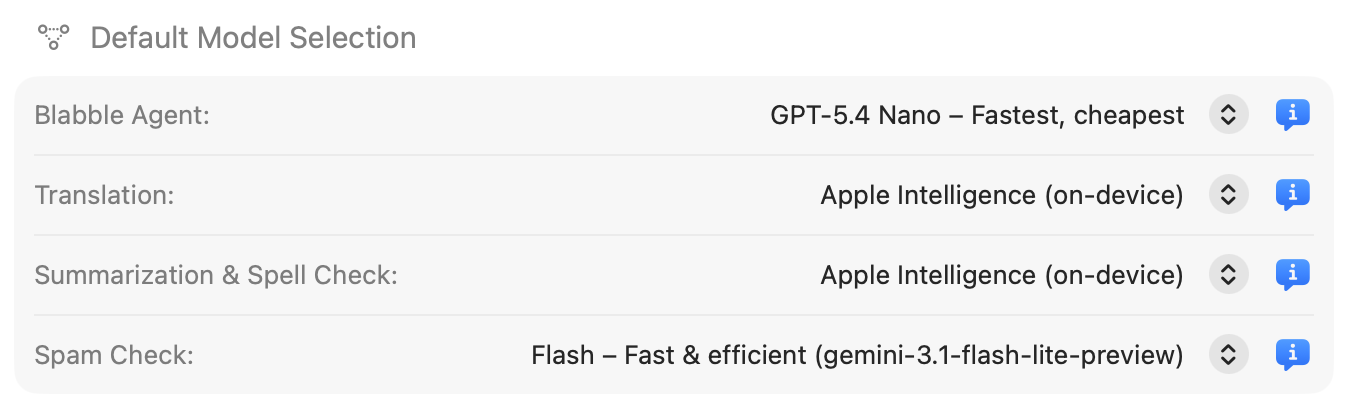

Preferences
Open Preferences with ⌘,. Settings are organized into five tabs.
General
- Group Conversations: Merge conversations with the same members across platforms into one unified view.
- Use Rich Links: Show inline previews for web links shared in messages.
- Use Unified Bubble Tint: Use a single bubble color for all platforms.
- Sort By: Choose the sort order for the conversation list.
- Show Feedback Button: Display a feedback button on message date headers.
- Show Reload Button: Display a reload button on email message headers.
Blabbles (Sources)
Manage your connected chat sources. Add new sources with the + button or remove them with the − button. See Chat Sources for details.
AI
Configure AI providers and set default models for each agent mode:
- Agent model: Used for Full Agent conversations
- Translation model: Used for Translate mode
- Utility model: Used for Summarize and Spell & Grammar modes
- Spam Check model: Used for email spam and fraud detection
Permissions
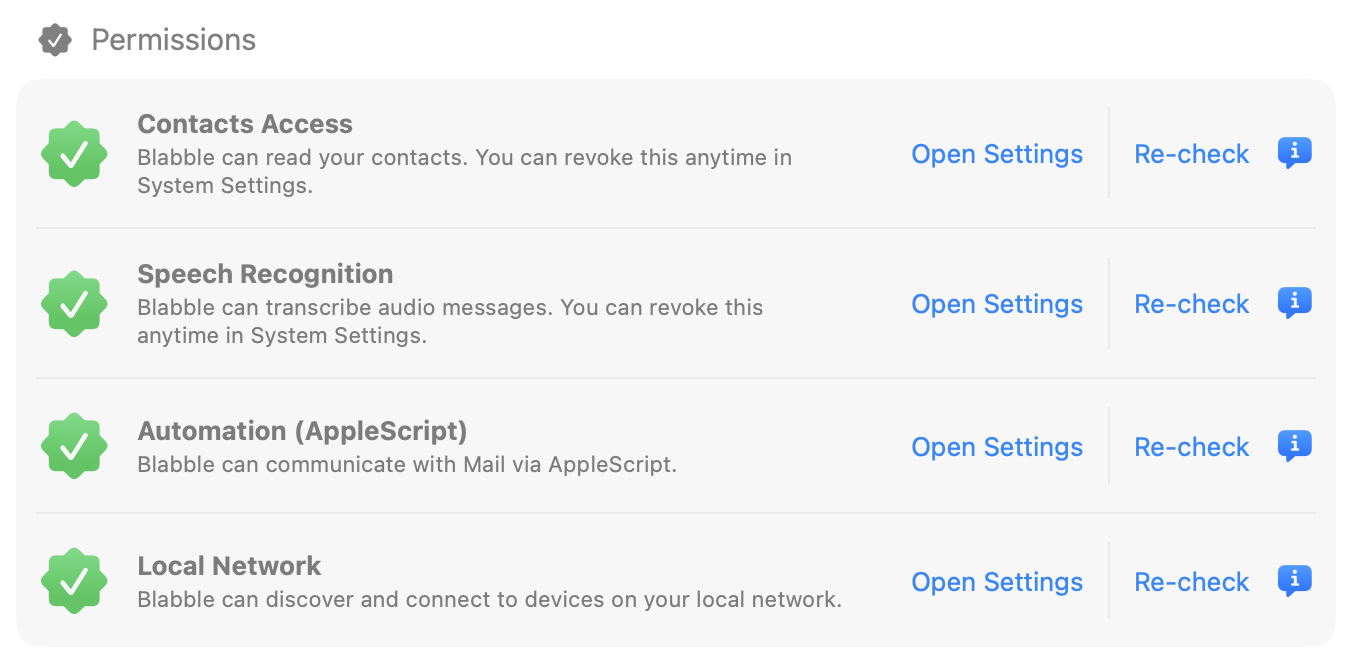
| Permission | Purpose |
|---|---|
| Contacts | Read contact names, emails, and phone numbers to match with conversation participants. |
| Speech Recognition | Transcribe audio messages so they become searchable text. |
| Automation | Use AppleScript to list Mail mailboxes and open reply drafts in Mail. |
| Local Network | Discover devices on your network for backup extraction. |
Each permission shows its current status: authorized, not determined, or denied. Click to open System Settings if you need to change a permission.
Subscription
View your subscription status, enter a license key, or start a trial. Your key format: BLAB-xxxx-xxxx-xxxx-xxxx. Visit blabble.ai/subscription to purchase or manage your subscription.