
LLM Provider Setup
The AI agent needs at least one language model provider. Blabble supports five, each with different trade-offs between privacy, cost, and capability.
Adding a provider
- Open Blabble → Preferences (⌘,).
- Go to the AI tab.
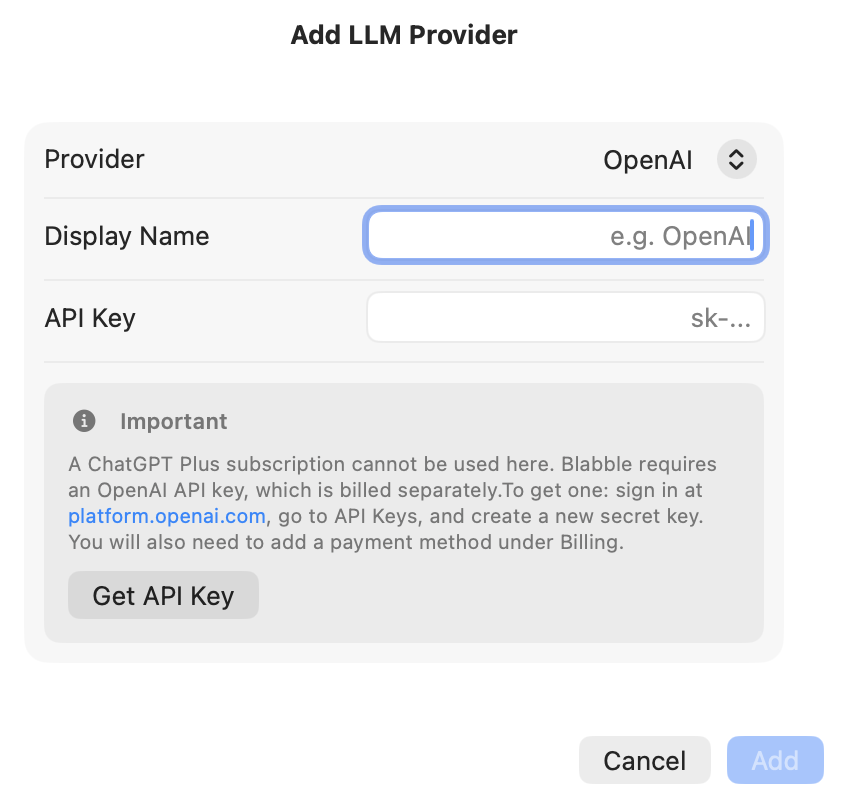
- Click + and choose a provider.
- Enter your API key (if required) and select a model.
Available providers
Runs entirely on your device. No API key, no data leaves your Mac, no cost. Requires Apple Silicon and macOS with Apple Intelligence enabled.
Cloud-based models (GPT-4o and others). Requires an API key from platform.openai.com. An API key is separate from a ChatGPT Plus subscription.
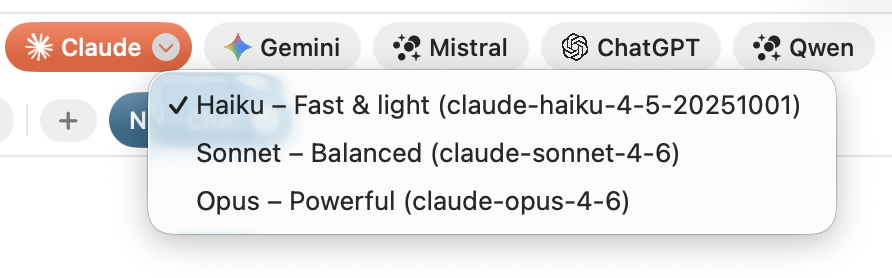
Cloud-based Claude models (Sonnet, Haiku, Opus). Requires an API key from console.anthropic.com. An API key is separate from a Claude Pro subscription.
Cloud-based models (Gemini Pro, Gemini Flash). Generous free tier. Requires an API key from aistudio.google.com.
Run open-source models on your machine using Ollama, LM Studio, llama.cpp, or any OpenAI-compatible server. Blabble auto-detects Ollama (localhost:11434) and LM Studio (localhost:1234). No data leaves your network.
Local vs. cloud models
| Local / on-device | Cloud | |
|---|---|---|
| Examples | Apple Intelligence, Ollama, LM Studio | OpenAI, Anthropic, Google Gemini |
| Size | Small (limited by your Mac's memory) | Large (run on powerful remote servers) |
| Best for | Quick tasks: translation, spell check, short summaries | Complex reasoning, long conversations, multi-step agent tasks |
| Privacy | All data stays on your Mac | Data sent to provider's servers |
| Cost | Free | Pay-per-use via API key |

Default model selection
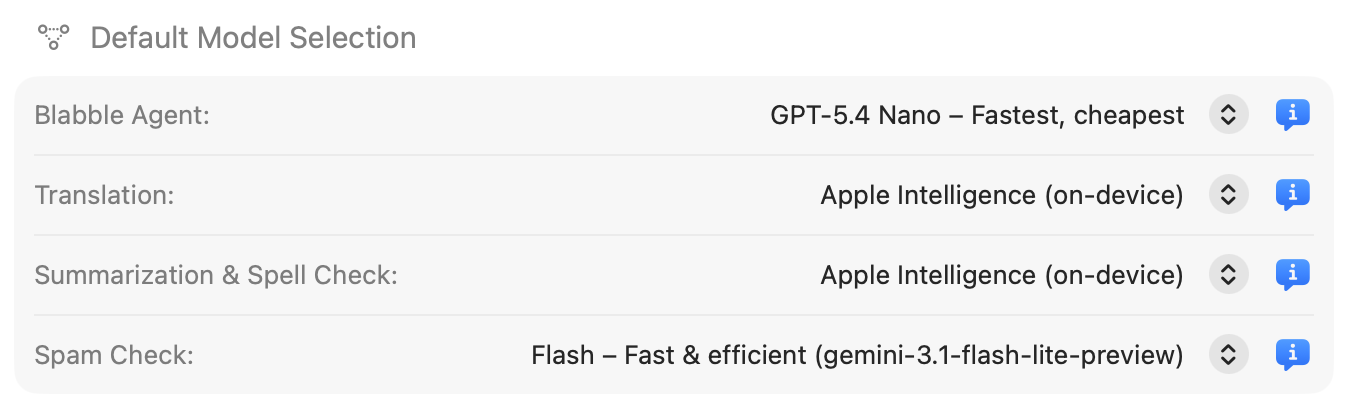
In Preferences → AI, set default models for each agent mode:
- Agent model: Used for Full Agent conversations
- Translation model: Used for Translate mode
- Utility model: Used for Summarize and Spell & Grammar modes
- Spam Check model: Used for email spam and fraud detection (requires a large model)
Blabble automatically tracks the latest release in each model family, so you always have access to the newest models without changing any settings.
API key security
All API keys are stored securely in your macOS Keychain, the same secure storage used by Safari for passwords. They are never written to disk in plain text.